Scrapingbypass Proxy
ScrapingBypass Rotating Residential Proxies utilize a Pay-as-you-go model where purchased data never expires. New users must first purchase a Data Plan to activate proxy extraction permissions.
This service is fully compatible with all ScrapingBypass API versions (V1/V2) and supports various third-party data collection software, scraping scripts, anti-detect browsers, social media matrix operations, and bulk account registrations.
Technical Specifications
- Protocols: Supports HTTP and SOCKS5.
- HTTPS Limitation: Directly connecting via the HTTPS protocol to the proxy host (HTTPS-over-Proxy) is currently not supported. Please configure your client to connect to the gateway via HTTP or SOCKS5.
Step 1: Register Account
Visit the registration link: https://console.scrapingbypass.com/#/proxy/register
Note: Please use a valid email address to ensure you can receive verification codes.
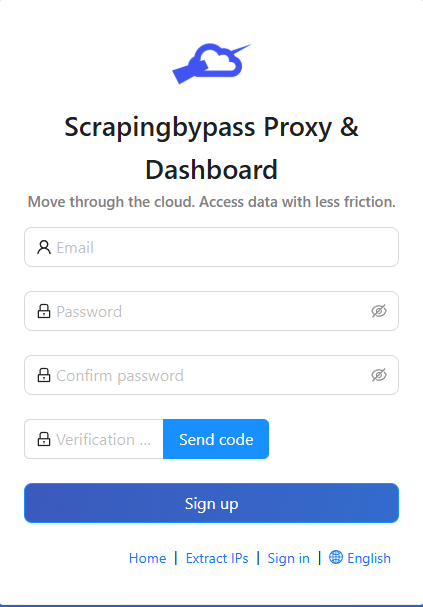
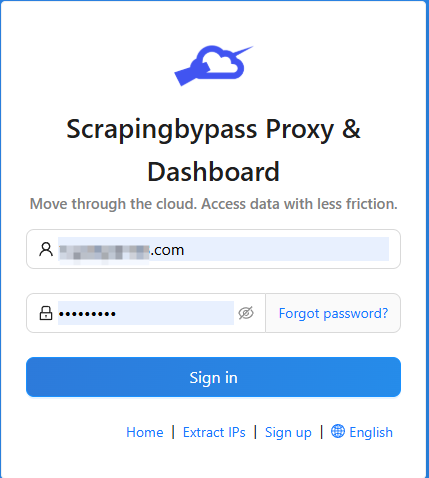
Step 2: Login to Proxy Dashboard
Login link: https://console.scrapingbypass.com/#/proxy/login
Enter your registered email and password to access the control panel.
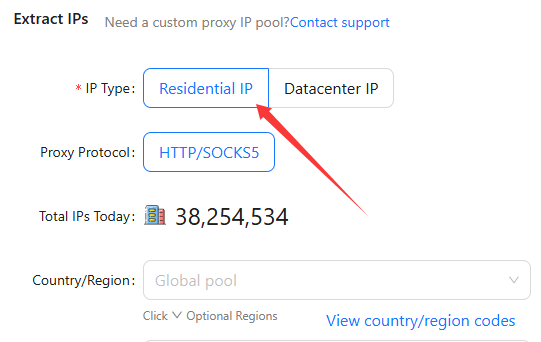
Step 3: Select Proxy Type
In the navigation bar, select: Rotating Residential Proxies.
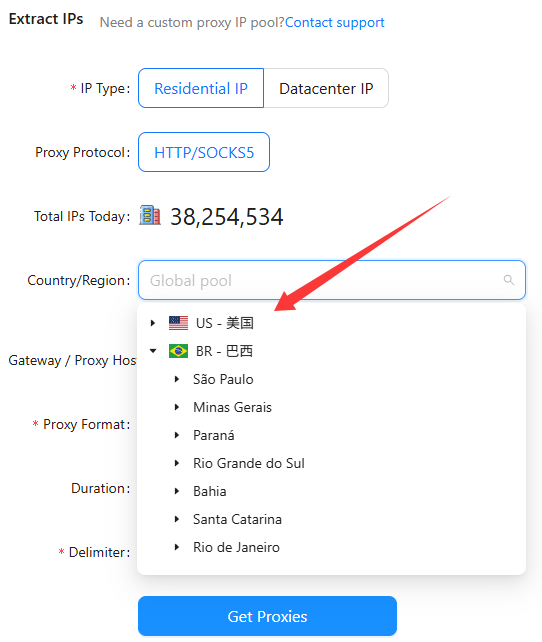
Step 4: Configure Targeting
- Precise Localization: The default option is "Global Mix." If the target website has strict geographic restrictions, select a specific country from the dropdown menu.
- Stability Tip: When using anti-detect browsers or proxy tools, it is recommended to select a specific country to ensure more stable connection quality.
Step 5: Select Proxy Format
Choose the extraction format based on your application requirements (Supports HTTP/SOCKS5):
username:password@ip:port(Default): Suitable for ScrapingBypass API configurations and mainstream scripts.username:password:ip:port: Suitable for common scraping software and anti-detect browsers.ip:port:username:password: Suitable for specific third-party tools.ip:port@username:password: Suitable for specific network proxy extensions.
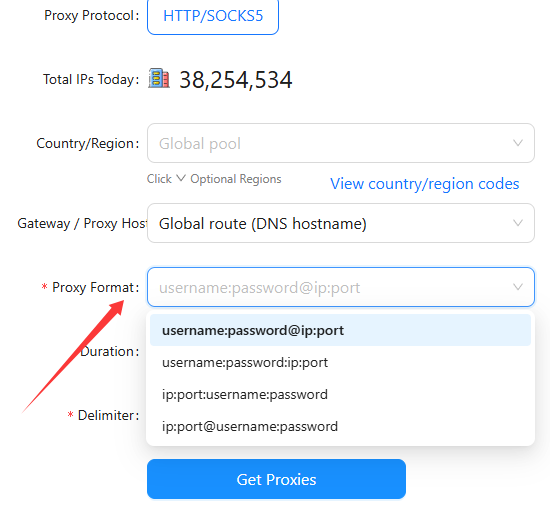
Step 6: Configure Sticky Sessions
- Sticky Sessions: For tasks requiring long-lived connections, such as account registration or complex form submissions, select a specific Session duration.
- Rotation: For simple web scraping tasks, maintain the default rotation settings.
- API Recommendation: When using the ScrapingBypass API V2, a session duration of 10 minutes or more is recommended for persistence.
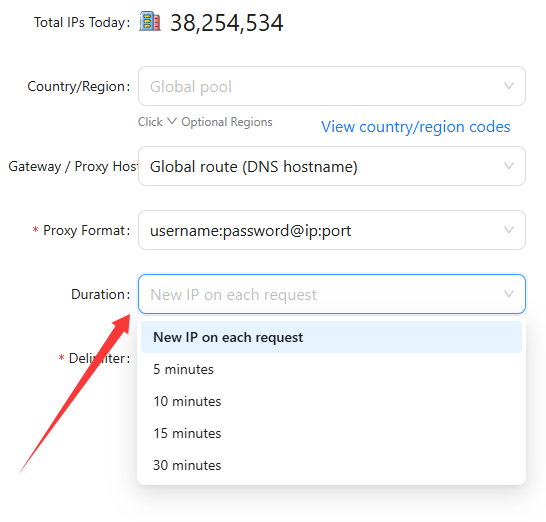
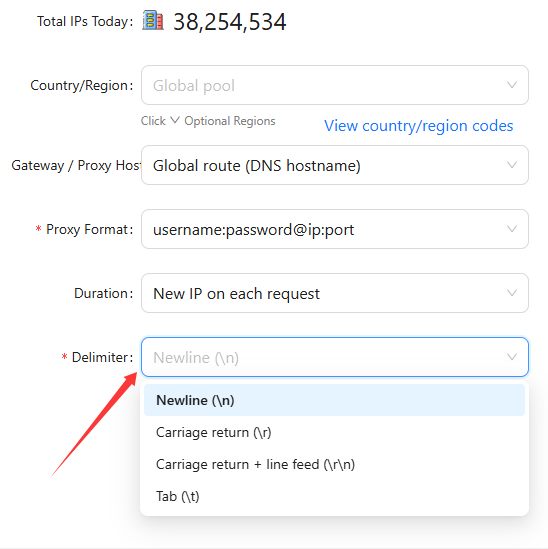
Step 7: Select Delimiter
When integrating with ScrapingBypass API or bulk import tools, use the default Newline (\n).
Step 8: Generate Proxies
Click the Generate button to receive your proxy credentials. You can integrate these into the ScrapingBypass API or configure them in third-party scrapers, scripts, and anti-detect browsers.
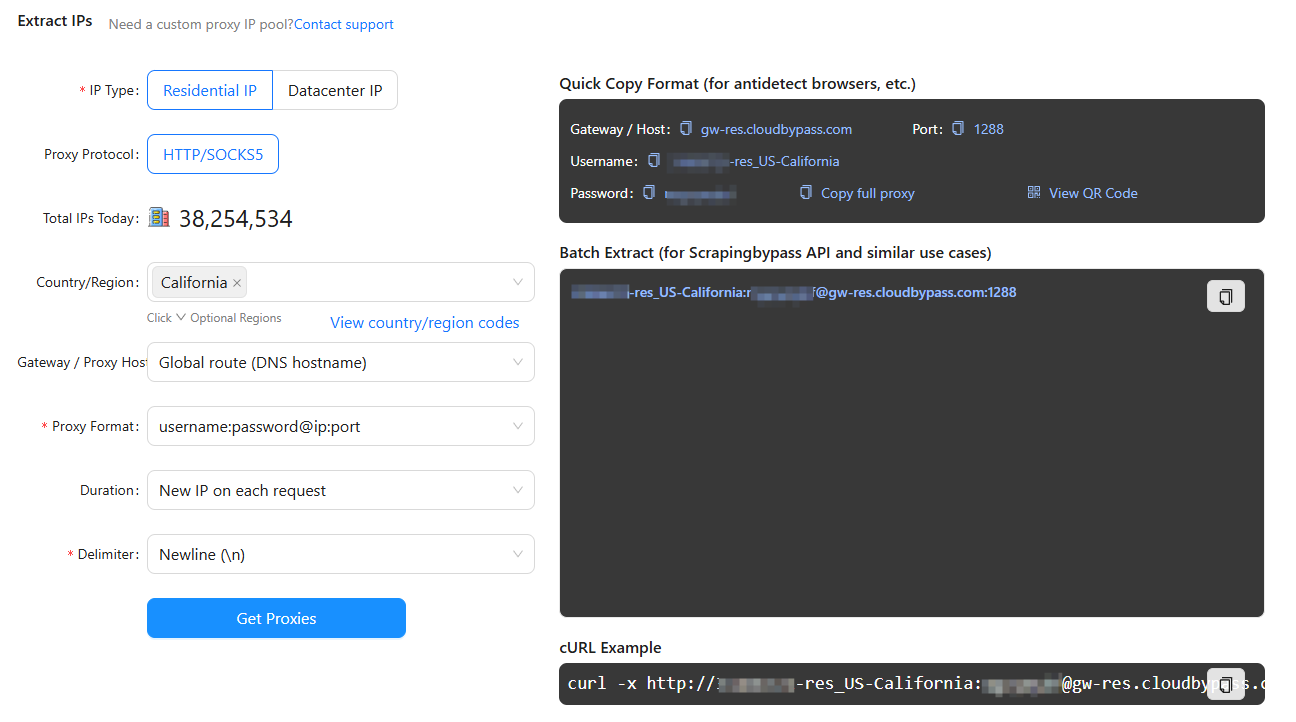
Integrate Credentials
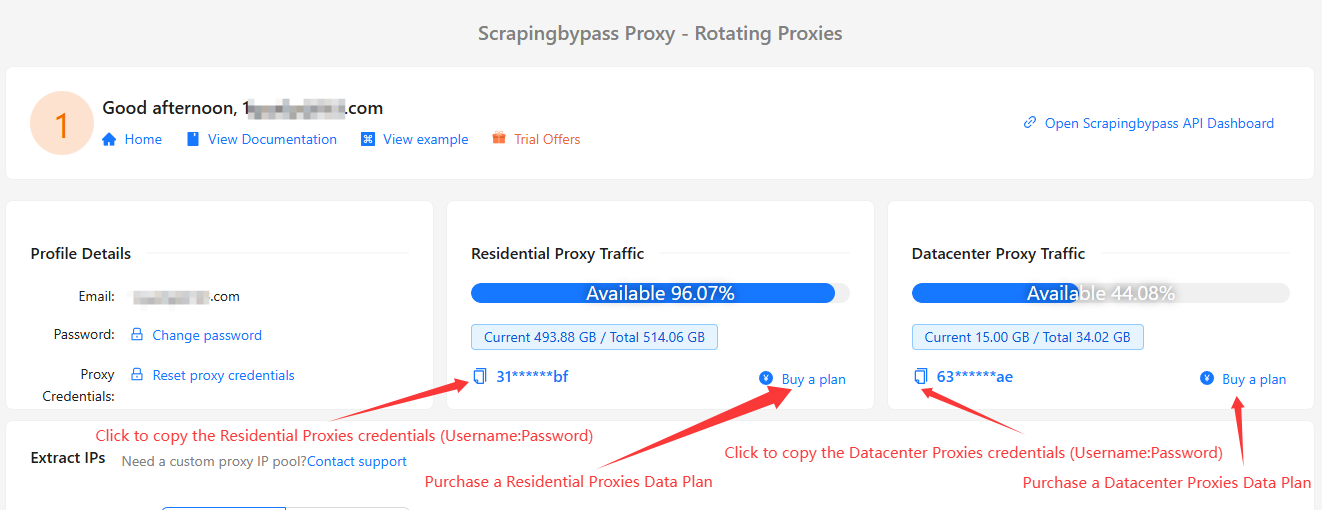
Click the Copy button in the dashboard to obtain the Username:Password credentials used for proxy authentication.
Purchase Data Plan
Navigate to the dashboard and select a Rotating Residential Proxies data plan. Purchase based on your needs; your balance will never expire.
無料トライアルを取得
すべての新規ユーザーに3日間の無料トライアルを提供
機能に制限なし
